
One Outlook signature for every member of staff, managed centrally
Email signature management in Kenya, as we provide it, means one centrally managed Outlook signature for every member of staff, added automatically to every email they send from Outlook on Windows, Mac, the web and their phones, with each person’s name, title and phone number pulled from Microsoft 365. It is an IT service, not a one-off design job: we set up Exclaimer or Rocketseed on your Microsoft 365 tenant and keep every signature accurate as staff join, move and leave.
Look at the last ten emails your staff sent to clients. Chances are you will find old logos, wrong phone numbers, missing job titles, stretched images and signatures that disappear completely when someone replies from their phone. For a law firm, a school, a logistics company or an insurer, that inconsistency is noticed by the people you most want to impress.
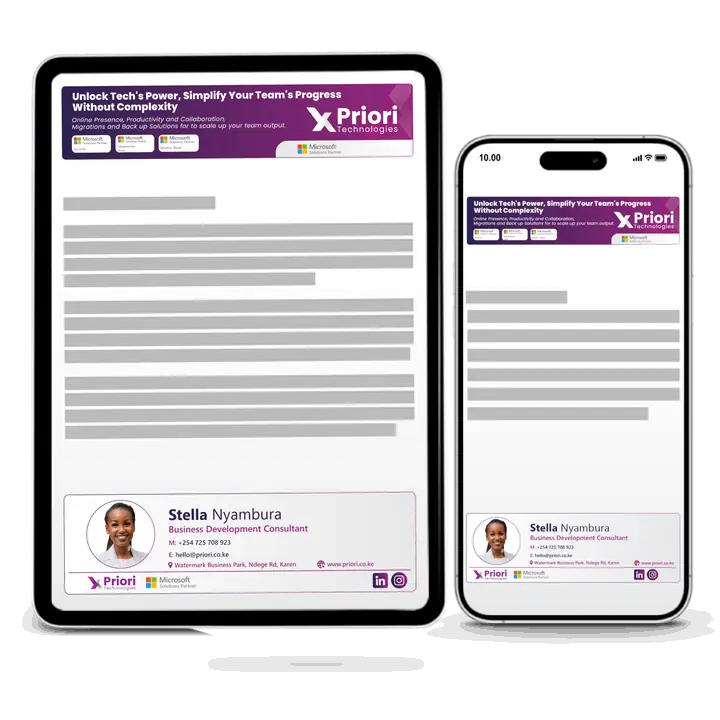
Asking staff to copy a company Outlook email signature into their own settings rarely works for long. Email signature management fixes it at the source: you design one signature, and it is added automatically to every email your organisation sends, with each person’s details pulled from Microsoft 365.
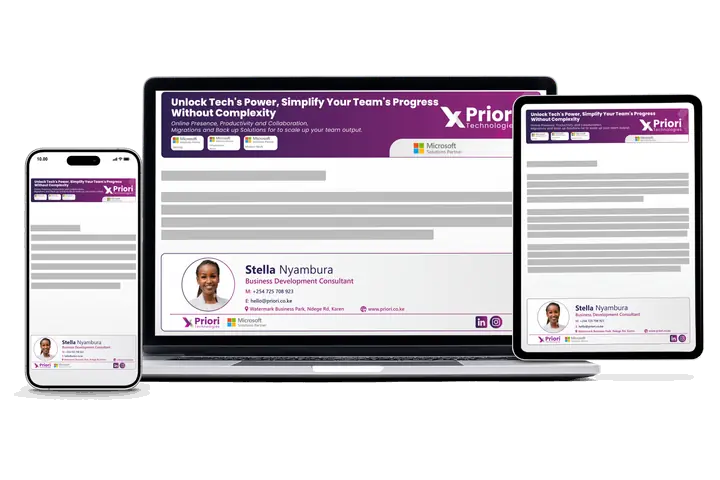
What email signature management gives you
Consistent branding
One approved design with the right logo, colours and contact details for everyone, or different designs per department, branch or brand.
Every device
Signatures appear on mail sent from Outlook on Windows and Mac, Outlook on the web and Outlook on phones, so replies from the field look as professional as those from the office.
Legal disclaimers
Confidentiality notices and company registration details added to every external email, worded once and kept up to date centrally.
Campaign banners
Promote an event, a new product or an open day with a banner under every signature, scheduled to start and stop on dates you choose.
Click reporting
See how many recipients click your banners and links, so marketing can measure what the everyday email traffic achieves.
No broken templates
Staff cannot edit or break the design. When someone changes role or phone number, their signature updates from Microsoft 365.
How we set it up
- Choose. We walk you through Exclaimer and Rocketseed and recommend the one that fits your needs and budget.
- Clean the data. We check names, job titles, departments and phone numbers in Microsoft 365, because signatures pull from there.
- Design. We build your signature from your brand guidelines and test it in Outlook on desktop, web and mobile.
- Roll out. We switch it on for a pilot group, then for everyone, and remove old signatures from staff mailboxes.
- Hand over. We show marketing or HR how to change banners and run reports, and help with changes later. Training and advisory.
Technology we use: Exclaimer and Rocketseed
We supply and set up two established email signature products for organisations in Kenya, Exclaimer and Rocketseed. Both connect to Microsoft 365, manage signatures centrally and support banners and disclaimers. They differ in how designs are built, how campaigns and reporting work, and how they are licensed.
Rather than push one product, we look at what matters to you: how many brands or departments need their own design, how much marketing wants to measure, who will manage changes day to day, and your budget. Then we recommend one and set it up. If you are also moving email, we can do it as part of your Microsoft 365 migration, and signatures work with every Microsoft 365 business plan.
Where managed signatures help most
- Law firms, insurers and SACCOs that need the same confidentiality notice and registration details on every external email.
- Schools and colleges promoting admissions, open days and events to parents through everyday staff email.
- Multi-branch businesses in logistics, retail or healthcare, where each branch needs its own address and phone number.
- NGOs sharing campaigns, reports and donor messages consistently across country offices.
Signatures can also be applied to shared mailboxes such as info@ or accounts@, so the addresses clients write to most often look just as professional as personal ones.
Can Microsoft 365 add signatures on its own?
Partly. Each person can set their own signature in Outlook, and an Exchange Online admin can create a mail flow rule that adds an HTML disclaimer or signature to messages, filling in details such as name, title and phone from the directory (Microsoft Learn, checked 4 October 2026). That works well for a standard legal footer. A signature product adds what a rule does not: a designer for the signature itself, different designs by team, scheduled campaign banners and click reports, managed by marketing or HR rather than an Exchange admin.
| Need | Signatures set by each person | Exchange mail flow rule | Managed signature product |
|---|---|---|---|
| Same design for every member of staff | No, depends on each person | Yes | Yes |
| Details filled in from Microsoft 365 | No | Yes | Yes |
| Legal disclaimer on every external email | No | Yes | Yes |
| Different designs by department or branch | Manual | Possible with several rules | Yes |
| Scheduled campaign banners and click reports | No | No | Yes |
| Changed by marketing or HR without an Exchange admin | No | No | Yes |
Questions
Email signature questions
What marketing and IT teams ask before centralising email signatures.
Still have a question?
Ask us on WhatsApp and our Nairobi team will answer it directly.
No obligation. Our team in Karen, Nairobi answers you directly.
What do you need from us to set up company email signatures?
Your brand guidelines and logo, plus accurate names, job titles, departments and phone numbers in Microsoft 365, because signatures pull from there.
We check and clean that data first, build the design, test it in Outlook on desktop, web and mobile, then switch it on for a pilot group before everyone. See how we set it up.
Will the new signature replace the ones staff set in Outlook?
Yes, we remove old signatures from staff mailboxes during rollout, and staff cannot edit or break the managed design afterwards.
Can our marketing or HR team change banners themselves?
Yes, we show marketing or HR how to change banners and run click reports, and we help with bigger changes later.
Banners can be scheduled to start and stop on dates you choose, for an open day, a product launch or an event. See training and advisory.
What is email signature management?
It is software that adds a company-approved signature to every email your staff send, managed centrally instead of each person setting their own in Outlook.
Each person’s details are pulled from Microsoft 365, so when someone changes role or phone number their signature updates too. Legal disclaimers and campaign banners are added in the same way.
Is email signature management the same as email signature design?
No, design creates how a signature looks, while management applies that design automatically to every email every member of staff sends and keeps it up to date.
We can build the signature from your existing brand guidelines, then run it centrally on Microsoft 365, so nobody has to copy and paste a design into Outlook. See how we set it up.
Do managed email signatures work on phones?
Yes, they are added to mail sent from Outlook on phones and tablets as well as Outlook on Windows, Mac and the web.
Should we choose Exclaimer or Rocketseed?
It depends on your needs: we compare both against how many brands or departments need their own design, how much reporting marketing wants, who will manage changes and your budget, then recommend one.
Can each branch or department have its own email signature?
Yes, you can set different designs, disclaimers and banners by department, branch, country or brand, based on the details held in Microsoft 365.
Shared mailboxes such as info@ or accounts@ can carry a managed signature too.
Get a quote in KES today
Tell us how many users you have and what you use now. We reply with a recommendation and a price.
No obligation. Our team in Karen, Nairobi answers you directly.