
Most breaches start with one email and one password
Microsoft 365 security in Kenya starts with the protection already in your plan, switched on and tuned: multifactor sign-in, conditional access, Microsoft Defender and Intune, with Mimecast email security added where email fraud is a real risk. We set it up with you from Nairobi, with the Data Protection Act 2019 in mind, and keep it working as your organisation changes.
A finance officer gets a convincing invoice from a “supplier” with new bank details. A staff member types their password into a fake Microsoft sign-in page. A laptop with client files is left in a matatu. For Kenyan SACCOs, law firms, clinics, schools and NGOs, any one of these can mean lost money, a breach of client trust and questions under the Data Protection Act 2019.
Many organisations already pay for strong protection and never switch it on. Microsoft 365 security works well in two layers: Microsoft’s built-in controls configured properly, and a specialist email security layer where the risk justifies it. We set up both and keep them working.
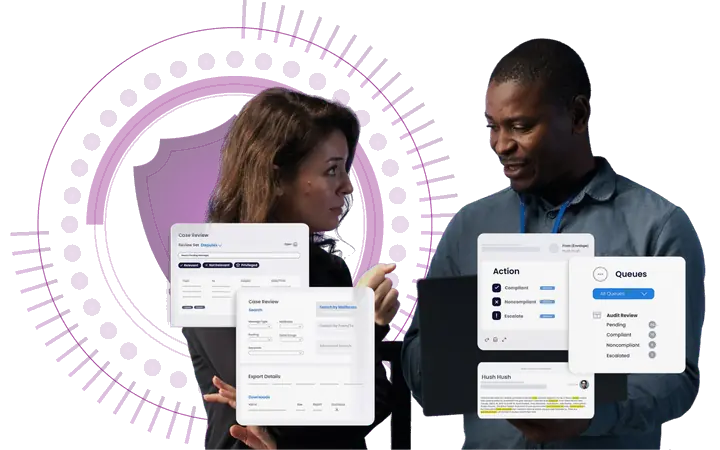
Microsoft 365 security layer one: Microsoft’s own controls, switched on
Microsoft 365 Business Premium and Microsoft 365 E5 include most of what a Kenyan organisation needs. We configure these controls and tune them to how your staff actually work.
Sign-in protection
Multifactor sign-in for every account and Microsoft Entra ID conditional access to block risky logins, sign-ins from unexpected countries and unmanaged devices.
Device security
Microsoft Intune enforces encryption and screen locks on laptops and phones and can wipe company data from a lost device. Microsoft Defender for Business protects against ransomware and malware.
Data protection
Microsoft Purview Information Protection labels sensitive documents, and data loss prevention stops ID numbers or client records leaving by email. E5 adds Insider Risk Management and eDiscovery Premium.
Business Premium also includes Defender for Office 365 Plan 1 for phishing links and attachments, and Purview Audit Standard for a record of who did what. E5 moves up to Defender for Office 365 Plan 2, Defender for Identity and Entra ID Plan 2.
Layer two: Mimecast email security
For organisations that handle payments, legal matters or patient data, we add Mimecast as a specialist layer around Microsoft 365. We set it up, connect it to your tenant and manage it with you. Consistent email signatures with legal disclaimers also help clients recognise genuine mail from you.
- Advanced email security. An extra filter for phishing, impersonation and malicious attachments before mail reaches Outlook.
- Security awareness training. Short training modules and simulated phishing emails, so you can see who needs more help.
- Cloud archive. A searchable, separate copy of your email for e-discovery, investigations and records retention.
- DMARC Analyzer. Stops criminals sending mail that pretends to come from your domain, and helps your own mail reach inboxes.
- Collaboration security. Scans for malware and phishing in Microsoft Teams, SharePoint and OneDrive, not only in email.
How we set it up
- Review. We check your Microsoft Secure Score, sign-in logs, admin accounts and email authentication records.
- Prioritise. You get a short list of fixes, ranked by risk, and a view of whether your current licences already cover them.
- Configure. We switch on multifactor sign-in, conditional access, device policies and email protection in stages, so nobody is locked out.
- Train. Staff learn to spot phishing and payment fraud. Training and advisory.
- Support. Our Nairobi team reviews settings with you and adjusts them as your organisation changes.
Microsoft 365 and the Data Protection Act 2019
The Kenya Data Protection Act 2019 expects organisations to protect personal data with appropriate technical and organisational measures. Microsoft 365 provides many of the technical ones:
- Access control. Multifactor sign-in, conditional access and role-based admin rights limit who can reach personal data.
- Encryption. Device encryption through Intune and sensitivity labels that encrypt documents and email.
- Data loss prevention. Policies that warn or block when staff try to send sensitive data outside the organisation.
- Audit. Purview Audit records who opened, changed or shared files and mail.
- Retention. Retention policies keep records for as long as you need them and remove them when you no longer should hold them.
- Breach detection. Defender alerts on compromised accounts and infected devices, so you can act and assess whether a breach must be reported.
Technology is only part of compliance. You also need written policies, a data protection officer where the Act requires one, registration with the Office of the Data Protection Commissioner (ODPC) where it applies, and processes for handling requests and breaches. We configure the tools; your lawyer or data protection adviser should confirm your obligations. This page is not legal advice.
Read more: Microsoft 365 settings for the Kenya Data Protection Act and does Microsoft back up your Microsoft 365 data?
Questions
Microsoft 365 security questions
What IT and finance leads ask before tightening Microsoft 365 security.
Still have a question?
Ask us on WhatsApp and our Nairobi team will answer it directly.
No obligation. Our team in Karen, Nairobi answers you directly.
How much does Microsoft 365 security cost in Kenya?
Most of the security on this page comes with Microsoft 365 Business Premium, at KES 2,717 per user per month, excluding VAT.
Mimecast and our setup work are quoted for your organisation. Business Premium and every other plan are 5% below the standard price; see our Microsoft 365 pricing page.
How much does Microsoft 365 E5 security cost in Kenya?
Microsoft 365 E5, the plan with Microsoft’s full security stack, is KES 7,410 per user per month, excluding VAT.
E5 adds Defender for Endpoint Plan 2, Defender for Office 365 Plan 2, Defender for Identity, Defender for Cloud Apps and Entra ID Plan 2. If you are on E3 and only need more security, Microsoft also sells security add-ons such as Microsoft Defender Suite, which we quote for your tenant. See Microsoft 365 E5.
Will multifactor sign-in lock our staff out?
No, we switch it on in stages and help each person set up the Microsoft Authenticator app first.
Conditional access can ask for the second step less often on trusted, managed devices, so staff are not interrupted all day. Device and email policies are rolled out in the same staged way. See what Business Premium includes.
What should we do if a staff email account is hacked?
Contact us straight away on WhatsApp or by phone, and we help you contain it: reset the password, revoke sessions, check mail rules and sign-in logs, and find what was accessed.
If data was deleted or encrypted, an independent backup makes recovery much easier. See Microsoft 365 backup.
Does Microsoft 365 have built-in security?
Yes, every Microsoft 365 business plan filters spam and malware automatically and supports multifactor sign-in, but conditional access, device policies, data loss prevention and audit settings must be configured before they protect you.
We start by reviewing your Microsoft Secure Score, sign-in logs, admin accounts and email authentication records, then give you a short list of fixes ranked by risk. Ask us for a review.
Does Microsoft 365 make us compliant with the Data Protection Act 2019?
No tool makes you compliant on its own, but Microsoft 365 provides many of the technical controls the Act expects.
You also need written policies, processes for requests and breaches, a data protection officer where the Act requires one and ODPC registration where it applies. This is not legal advice, so confirm your obligations with your lawyer or data protection adviser.
Is Business Basic or Business Standard enough for security?
Usually not for organisations that hold client or financial data, because neither includes Intune, Defender for Business, advanced Microsoft Entra ID access controls or data loss prevention.
Business Premium adds all four, plus Defender for Office 365 Plan 1 for phishing links and attachments, for up to 300 users. See Business Premium.
When do we need Microsoft 365 E5 instead of Business Premium?
Consider E5 when you need controls Business Premium lacks, such as Defender for Office 365 Plan 2, Defender for Identity, Entra ID Plan 2, Insider Risk Management and eDiscovery Premium.
Business Premium is limited to 300 users, so larger organisations move to the enterprise plans in any case. Compare enterprise plans.
Why add Mimecast if Microsoft 365 already filters email?
Mimecast adds a second, independent layer of email filtering, plus DMARC Analyzer, a separate cloud archive and security awareness training with simulated phishing.
We recommend it where email fraud, impersonation or records retention is a real business risk, such as for SACCOs, law firms and clinics, not by default. See our staff training.
Get a quote in KES today
Tell us how many users you have and what you use now. We reply with a recommendation and a price.
No obligation. Our team in Karen, Nairobi answers you directly.